There is this unique web application online - http://www.nickzom.org that solves calculations and shows the steps for easy comprehension.
The good thing about this website is that you do not have to care whether what you want it to solve is already embedded in it or not.
Once you create an account and log in to the website all you have to do is check for what you want to be solved for you which can be anything. It must not be educational.
If it is not there, just contact the developer, Idoko Nicholas Chinazom and tell him what you want and it would be programmed for you and only you immediately.
Nickzom is building a base where anybody can just get answers and steps to any calculation problem he or she is facing within seconds.
All you have to do is register and start living life easy and smooth.
Visit http://www.nickzom.org now
There are situations where by you want to have just 4 decimal places or 2 decimal places whatever the case and
you know quite fully well that making use of double in your computation cannot just give you a 2 decimal or 4 decimal places value.
There are two ways to trick the computer into giving you what you want.
Switch is a reserved word or keyword that is used to make selections in Java just as IF... ELSE IF... ELSE.
The switch has a unique way of doing its things first. It has a default and an optional break statement.
Take a look at this chunk of code
There comes a stage in life when you have grown up and begun to make your own choices, do your own thing and select what you want and not what others want.
Yea!! That stage feels really good.
The same thing applies to Java programming Language and we are at that stage.
Before I move into Java selections properly I want to discuss a few things about logical and relational operators.
Just as Java has arithmetic operators that makes computation possible Java also has logical and relational operators that makes decision making in programming a dream come true.
Examples of Relational operators are:
There is nobody on earth who has not made a mistake one way or the other.
In this same vein, there is no one who began programming from the bottom to the top without making errors here and there.
In Java programming there are three types of errors which are:
1. Syntax Error
2. Runtime Error
3. Logical Error
Syntax Error is a type of error made by a programmer while writing the program. This error can be easily detected by the computer.
I am really sorry for not publishing anything yesterday. I had some electrical problems that's why but I am here now and I am going to continue from where I stopped.
Thank you for accepting my apologies. lol
Today, I want to talk about numeric type conversion and casting in Java programming language.
I hope you still remember what I told you about datatypes. Please if you don't re-visit one of my previous posts to do.
Take for example you want to convert an integer to a double. How do you do that?
This is done by what we call CASTING.
Casting is the process of converting a value with a particular datatype to another datatype.
There are two types of casting which are:
There comes a time in Java programming when you want to carry out an operation on a variable and assign that operation to that same variable.
For example:
I can see us progressing well. Can't you? Yes You Can. lol
When I say reading input from the computer console. What do I mean?
I mean trying to tell the computer to give me a chance to give it a value which it would take do some computations and give me the output.
WOW! That sound's cool right? YES!
In order for a computer console to give you a chance to give it a value there is something you must really really know and that thing is called SCANNER.
Yes! Scanner
Do you still remember specific import I talked about in one of my previous posts?
If you don't please review that post. It would enhance your understanding of what we are about to do here a little bit, OK?
For us to send data to the computer there is something we must import into our program.and this Java statement is written right under the package statement OK?
This statement is:
You and I are Awesome!!!
I want to point out somethings with regards to my previous post which are:
1. Variables have a naming convention that is to say you cannot name a variable anyhow you want. To name a variable the first letter should begin with a small letter and the next word should begin with a capslock for example: averageClass is correct. Averageclass is wrong, averageclass is wrong, AverageClass is wrong for naming a variable but correct for naming a class.
2. The computer does not see mathematical calculations exactly the way we see it.
For example: Mathematically, 5 / 2 = 2.5
But in programming, 5 / 2 = 2
The reason is this, the computer sees the numerator and the denominator as integers (numbers that do not have a fraction or decimal point). Therefore, the computer gives its answer as an integer too and not a floating point number.
To tackle this problem, you have to make the computer see either the numerator or the denominator as a floating point number so that your answer can also be a floating point number.
For Example: In programming, 5.0 / 2 = 2.5 or 5 / 2.0 = 2.5
Another way to solve this problem is through declaration and initialization. See this chunk of code as an example:
Before I begin this post I need to tell you that Java was invented by a man named James Gosling.
That's all.
Now I begin
In the previous post we talked about expressions and how they can be computed using Java programming language.
Now I want to discuss how to use variables.
Before I show you how to make use of variables, here is a very important point you should know.
Wow! We are becoming Java programmers gradually for reals.
Now I want to teach you something nice and that nice thing is called an operation or expression.
For one to refer to a chunk of code as an expression, two things must be involved:
1. Operator
2. Operand
Mathematically, an expression is something like 4 x 5 etc.
In the above example:
4 and 5 are known as operands while x is known as an operator and putting them together the way they are in the example makes it an expression.
This same thing goes for programming. Just like 4 x 5 as used in the example as a mathematical expression. It can also be a programming expression.
There are five major operators used in Java programming that I want to talk about today which are:
As I said earlier, Java is a platform independent programming language that can also be embedded into HTML pages.
All Java source files ends with .java extension which means that if you want to save a file written in java programming language to be run by the computer, you should save with .java. For Example: helloworld.java, welcome.java, computearea.java
This may be a little bit confusing for you now but with time you would understand everything. Every class is compiled into a separate bytecode file that has the same name as the class and ends with the .class extension.
Since we are making use of NetBeans IDE you would probably have nothing to do with files with .class extension so for now so let's keep going.
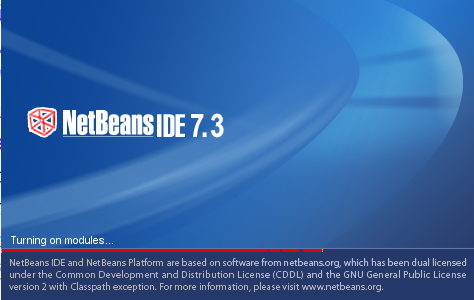
After you have installed NetBeans IDE, this is a screenshot of what you might be seeing especially for NetBeans 7.3 below
Java is a widely used programming language that has a vast range of applications.
Java can be used to code internet applications, desktop applications and software for embedded systems or devices.
Before I commence with my introduction I would like to make known some points.
if you are reading this post I am sure you know what a computer is or should I start explaining? The answer is NO.
If you do not know what a computer is i don't know what to tell you. lol.
Ok that said do you know that a computer is a hardware? The answer is YES. Why am I even asking this stupid questions? I don't know
With that said I have another question do you know that a computer is nothing without a software?
The answer is hmmm... YES.
Process control
is the automatic control of an output variable by the sensing of the
amplitude of the output parameter from the process and comparing it to
the desired or set level and feeding an error signal back to control an
input variable. The processor uses the error signal to generate a
correction signal to control the actuator and the input variable.
A feedback loop is the signal path from the output back to the input for any correction by comparing it to the desired or set level.
A controlled or measured variable is the monitored output variable from a process.
A manipulated variable is the input variable or parameter to a process that is varied by a control signal from the processor to an actuator.
A symmetric matrix is a matrix that gives you the same matrix when transposed.
A skew symmetric matrix is a matrix that gives the negative of the original matrix when transposed.
A column vector is a vector that has just one column.
A row vector is a vector that has one row.
Two matrices are equal if and only if they are of the same size and have the same entries.
Upper triangular matrices are those matrices which has its elements as zero at the main diagonal downwards.
Lower triangular matrices are those matrices which has its elements as zero at the main diagonal upwards.
There are three types of diagonal matrices:
1. Normal Diagonal Matrix
2. Scalar Diagonal Matrix
3. Identity Diagonal Matrix
A tunnel diode is a pn junction that exhibits negative resistance between two values of forward voltages.
The two values of forward voltages are the peak point voltage and the valley point voltage.
Conventionally, an ordinary diode exhibits positive resistance when it is forward biased or reverse biased.
In
the case where a semiconductor junction diode is heavily doped with
impurities it exhibits negative resistance between the peak point
voltage and valley point voltage, such a diode is a tunnel diode.
.
Negative
resistance simply means a situation where voltage is not directly
proportional to current. In other words an increase in voltage leads to a
decrease in current.
Basically, a tunnel diode is a pn junction with heavy doping of n - type and p - type semiconductor materials.
Now, this heavy doping gives rise to a
large number of majority carriers which the results to many of this
carriers not used during recombination thereby creating a very narrow
depletion layer.
The Tunneling Effect:
As stated above the large number of
majority carriers are not used in recombination which then causes much
drifting in the p and n sections.
For
the fact that many majority carriers are not used during recombination,
it causes many valence electrons to have their energy levels raised to
the conduction region.
Therefore,
a very small applied voltage causes conduction to take place and since
the depletion layer is very narrow, current easily pass through it.
Tunneling therefore, is the motion of
valence electrons from the valence band to the conduction band with
little or no applied voltage.
This simply implies that valence electrons easily travel through the forbidden gap.
At first, I want to define what a
crystal is. A crystal is a solid material consisting of atoms which are
arranged in a highly ordered structure called LATTICE.
There are two properties of crystals
which are of particular interest to me with regards to semiconductors
which calculates the current in a semiconductor and they are:
1. Number of fixed and mobile charges present in the material.
2. The transport of mobile carriers through the semiconductor.
This two properties are the reason why I mentioned crystals in the first place.
Now, conductors have something that is
totally opposite to that of semiconductors that I would like to mention
and that is its TEMPERATURE COEFFICIENT.
Conductors have a positive temperature coefficient and I am going to explain this for you now.
When I say that conductors have a
positive temperature coefficient am only trying to say that an increase
in temperature leads to an increase in the resistance of the conductor.
For Example: When I heat a copper rod, the flow of current through that copper rod is reduced.
Therefore, the temperature applied to a
conductor is directly proportional to the resistance of the flow of
current through that conductor.
The reverse of this occurs in the
semiconductors. Semiconductors have a negative temperature coefficient.
Just like I explained above this means that an increase in temperature
applied to a semiconductor leads to a decrease in resistance.
Silicon is an example of a semiconductor.
So
what I am trying to say is that when a silicon is being heated the
passage of current through that silicon is increase because the
resistance is reduced.
Therefore, the temperature applied to a semiconductor is inversely proportional to the resistance of the semiconductor.
Here is what I understand about
semiconductors, Semiconductors are solid materials that behaves as an
insulator at absolute zero temperature (0K) and at higher temperatures
act as a conductor.
The conductivity of a semiconductor can
be greatly increased by the addition of impurities basically known as
doping and photoconductivity.
Photoconductivity is process whereby a semiconductor material absorbs light of a certain wavelength to improve its conductivity.
There are two basic types of Semiconductors which are:
1. Element Semiconductors
2. Compound Semiconductors
A file is a collection or set (ordered or unordered) of data elements stored in a storage media.
A field is the smallest (fixed) indivisible logical unit of a file which holds a part of some data value.
A record is a set of logically related fields. A record size may be fixed or variable.
A file can also be defined as a set of logically related fields or a collection of records.
There are different operations that can be carried out on a file such as: read, write, rewind, open, modify, delete etc.
It
is worthy to note that to access a file stored on a magnetic tape,
unlike disk files, the entire file has to be searched sequentially
before reaching the record.
The access path for a disk are:
1. Disk Number
2. Cylinder Number
3. Track Number
4. Sector Number
The
unit of data transfer between memory and disk is known as BLOCK.
Blocking factor is known as the number of records in a block and is
denoted by Bfr.
Bfr = B/R where:
B ===> Disk Block Size
R ===> File Record Size
Parameters of a Disk are:
1. Seek Time:
This is the time it takes to move the read/write arm to the correct
cylinder. Seek time is the largest in cost and average seek time is the
same as the time it takes to traverse one - third of the cylinder.
2. Rotational Latency Time:
This is the time the disk unit takes to move or to position the
read/write on the beginning of the sector where the file records are
stored.
3. Block Transfer Time: This is the time for
the read/write head to pass over a disk block. During the block transfer
time, the bytes of data can be transferred between the disk and main
memory.
One of the main objective of file organization is to speed up the file retrieval time that is to reduce the I/O time.
There are 3 Basic Categories of File Organization which are:
1. Sequential Organization
2. Index Organization
3. Random Organization
In sequential organization records are written consecutively when the file is created.
A basic microcomputer system comprises four parts which are:
1. Microprocessor
2. Memory
3. Input/Output
4. Buses
A microprocessor is a single chip which is capable of processing data and controlling all the components of the microcomputer.
A typical microprocessor contains the following:
1. Temporary Storage: This is a number of registers that holds bits of binary information.
2. ALU: This is the unit that carries out arithmetic and logic operations.
3. Timing and Control Circuit: This keeps the other parts of microcomputer working together in the right time sequence.
A memory is the part of the microcomputer that is used to store programs and data, provide data to the microprocessor on request and accepts new data from the microprocessor for storage.
There are two types of memory which are:
1. ROM (Read Only Memory): This is also known as firmware. They are fixed during manufacture and as such they cannot be altered. They are also non volatile which means that they do not lose their information when power supply is lost. It is used to store OS too.
2. RAM (Random Access Memory): This memory has read and write capabilities. It is volatile which means that it loses its information when power is lost and it stores programs which the microcomputer user wants to run currently.
Input/Output Port is the link between the microprocessor and the outer world. Both input and output ports may be implemented into one single IC package.
BIOS (Basic Input Output System): This is a program a microcomputer system uses to get the microprocessor started. Once it is switched on it manages data flow from the microprocessor to the rest of the system.
Buses are a group of wires or conduction tracks on PCB board through which binary information is transferred from one part of a microcomputer to another.
There are three types of buses which are:
1. Address Bus: This is used to transmit the address of the specific storage location to the memory or port. It is unidirectional and has 16 address pins.
2. Data Bus: It carries data which has been transferred through out the system. It is bidirectional and has 8 data lines. The size and width of a data bus is also important because it determines how much data can be transferred at one time. It also determines what arithmetic can be done and it limits the number of possible instructions. In this case, It is 256.
3. Control Bus: Each line of a control bus goes one way. READ and WRITE are output lines while INTERRUPT are input lines. Signals used by the control bus are generated by timing control circuits of the microprocessor whenever it needs to perform a specific function.